

USPS
Ground Advantage
2 to 5 days$11.40
all-in · no surprises
GoatLabels is a ShipEngine alternative for small teams: a shared To Ship queue, USPS, UPS, FedEx, and DHL quoted side by side, and pay-as-you-go labels from a prepaid wallet with no monthly fee and no API plan to size first.
USPS, UPS, FedEx, and DHL quoted side by side, from US and Singapore origins, on every order in the queue.


 all quoted
Top up a prepaid wallet with the amount you choose and spend it label by label at the carrier rate.
For a small team, GoatLabels replaces ShipEngine's metered API plan with a shared To Ship queue, four carriers quoted side by side, and pay-as-you-go labels from a prepaid wallet with no monthly fee. ShipEngine is a strong API for engineering-led companies; this page is about the teams that never wanted to write the integration.
| GoatLabels | ShipEngine | |
|---|---|---|
| Where the team works | One To Ship queue in the dashboard. Everyone on the team sees the same orders and prints from the same wallet. | The product is the API. A dashboard exists, but the design centre of gravity is code you write and maintain. |
| What you size before day one | Nothing. Fund the wallet and print; there is no usage plan to estimate. | Usage is metered and packaged into plans — check their pricing page for how the current tiers are cut. |
| Carrier accounts | USPS, UPS, FedEx, and DHL quoted together with nothing to connect. | Grows around carrier accounts you bring and connect yourself. |
| Getting orders in | 13 store connectors, bulk CSV import, paste, screenshot, or the REST API. | Primarily API and connected platforms; the small-team paste-and-print path is not the focus. |
| Who maintains it | Nobody. The queue is the product and the API is optional. | Someone on the team owns the integration, the keys, and the upgrades. |
| Monthly cost on a quiet month | No monthly fee on Free (50 shipments a month). An unused wallet balance just sits there. | Plan-dependent — defer to their current pricing page. |
ShipEngine is a trademark of its owner and is not affiliated with GoatLabels. Their plans, fees, and carrier list change — compare against their current pricing page before you decide.
Updated 2026-09-11
ShipEngine assumes a developer will wire it up and stay on call for it. A three-person shop does not have that person. GoatLabels puts every order in one To Ship queue that the whole team can print from, and keeps the REST API available for the day you do want to script something.
Sizing an API plan means guessing next quarter's volume and paying for the guess. A prepaid wallet with no monthly fee removes the forecast: fund it, print labels at the carrier rate, and the balance is the only number to watch.
Bringing your own carrier accounts means negotiating, connecting, and maintaining each one. USPS, UPS, FedEx, and DHL are quoted side by side in GoatLabels from the first label, with nothing to connect and nothing to renew.
Connect any of the 13 live connectors — Shopify, WooCommerce, Amazon, eBay, TikTok Shop, Etsy, Walmart, BigCommerce, Squarespace, Wix, Square, Magento, and Temu — and orders land in one To Ship queue. Import a spreadsheet in bulk by CSV, paste a message, or drop in a screenshot, and the AI assistant drafts the recipient, the parcel, and the service for you to confirm. Every label is a pay-as-you-go debit against a prepaid wallet with no monthly fee, and the quote you accepted for USPS, UPS, FedEx, or DHL is the exact amount that leaves the balance.
Hey! 2x hoodies (M) 1x tee (L) 😅 Ship to: Maya R. Austin, TX 78701
13 connectors, bulk CSV import, DMs, and screenshots — one queue.

No monthly fee and no minimum to print. Auto-print via PrintNode or the browser.
Shopify, WooCommerce, Amazon, eBay, TikTok Shop, Etsy, Walmart, BigCommerce, Squarespace, Wix, Square, Magento, and Temu sync into one To Ship queue. The orders that never became a record — the custom request agreed in messages, the repeat buyer who asked by text — go into the same queue by paste or screenshot, without a connector existing for them at all.
 Shopify
 Etsy
Etsy WooCommerce
 TikTok Shop
 Amazon
 eBay
eBay Squarespace
 Wix
Wix WalmartShopify PlusSoon
 Square
 BigCommerce
 Magento
 ZapierSoon
 NetSuiteSoon
 EcwidSoon
 Temu
Temu SheinSoon
 ChannelAdvisorSoon
 SkuVaultSoon
 Zoho InventorySoon
 Patreon
Leaving ShipEngine should not cost you the carriers, the store sync, or the API. Those all come with you. What does not come with you is the monthly fee — and what is new is an assistant that turns a message into a drafted label.
Top up the wallet with the amount you choose and every label is debited at the carrier rate quoted on screen. There is no subscription, no plan tier, and no monthly minimum to print — a slow month costs nothing and the balance waits for the next order.
A message or a screenshot is not a structured order. The AI assistant reads it and drafts the whole label from it — recipient, parcel, and service — for you to confirm. For a shop that sells through conversations, that is most of the week.
Fund the wallet, pay the carrier rate per label, and ship nothing in a quiet month without paying for the quiet month. Free covers 50 shipments a month; Pro is one flat monthly plan with unlimited shipments.
Live all-in rates from USPS, UPS, FedEx, and DHL side by side from US and Singapore origins, and the number on screen is the exact amount that leaves your balance. That is the honest carrier list; if you need one outside it, that is a fair reason to stay where you are.
UPS$12.48FedEx$13.22DHL$14.10USPS$11.79A REST label API with JSON in and out, so the queue, the bulk CSV import, and your own code all buy labels from the same prepaid wallet. Nothing about it sits behind a subscription.
Label ready
CL-1038 · Brooklyn, NY
Most tools expect the order to already exist somewhere they can read. When a buyer messages instead, you become the integration. GoatLabels takes the message itself, on the phone that is already next to the tape gun.
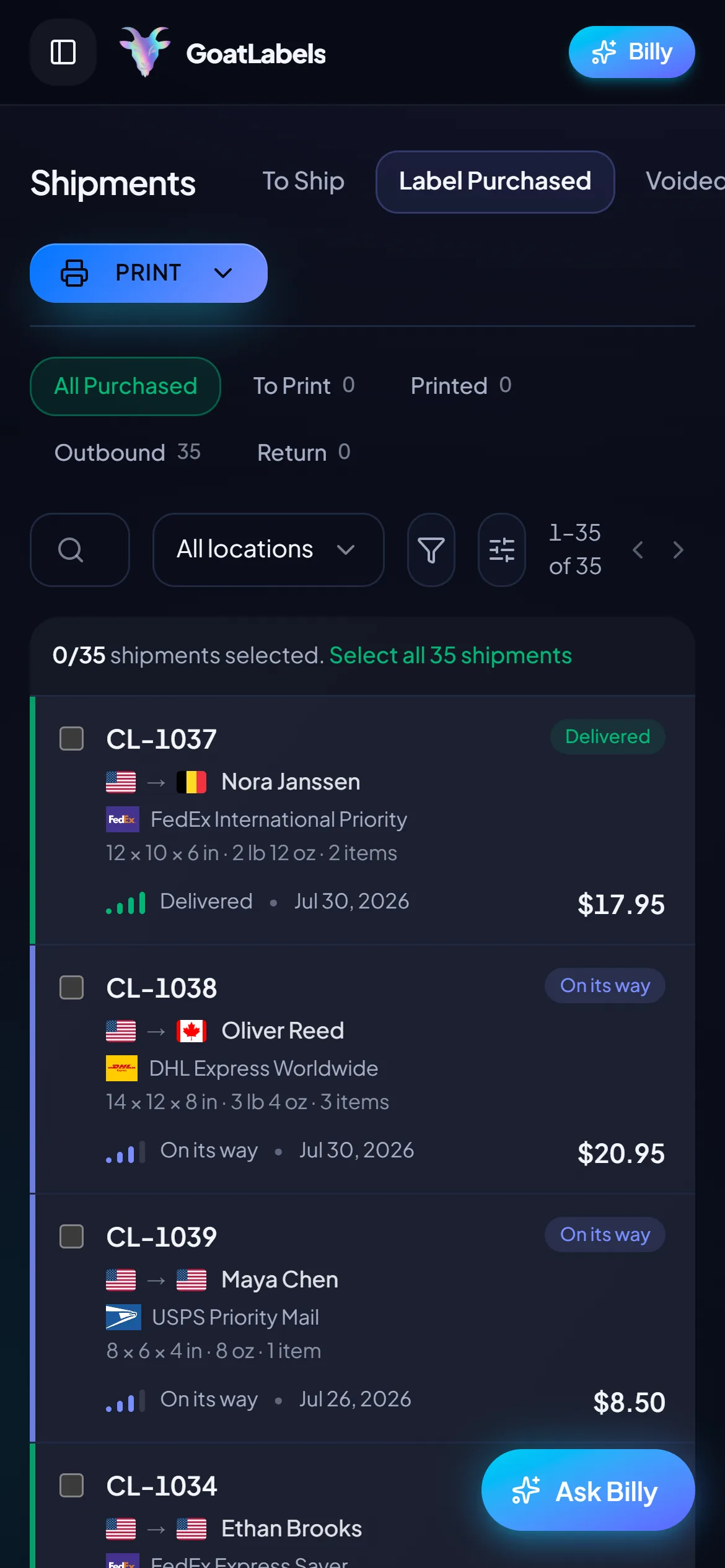
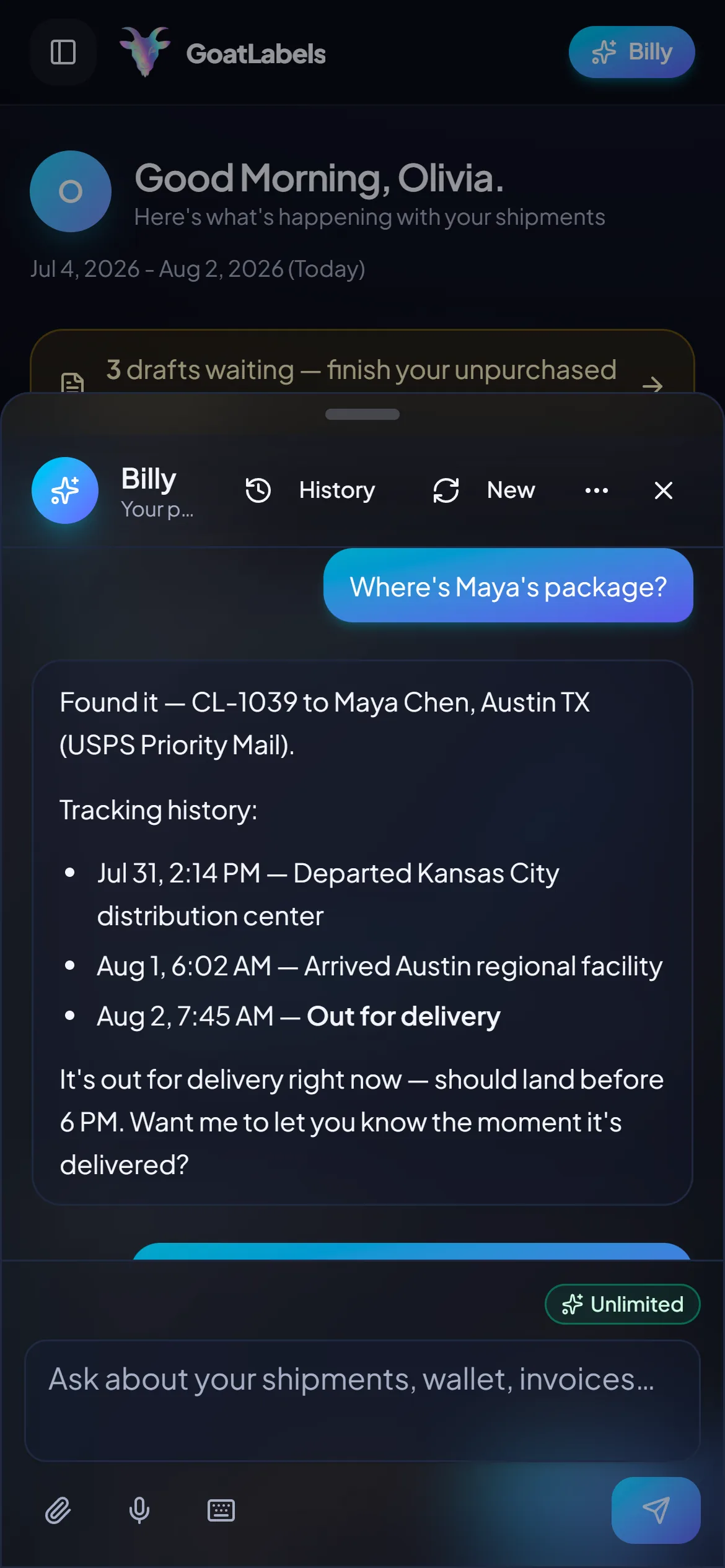
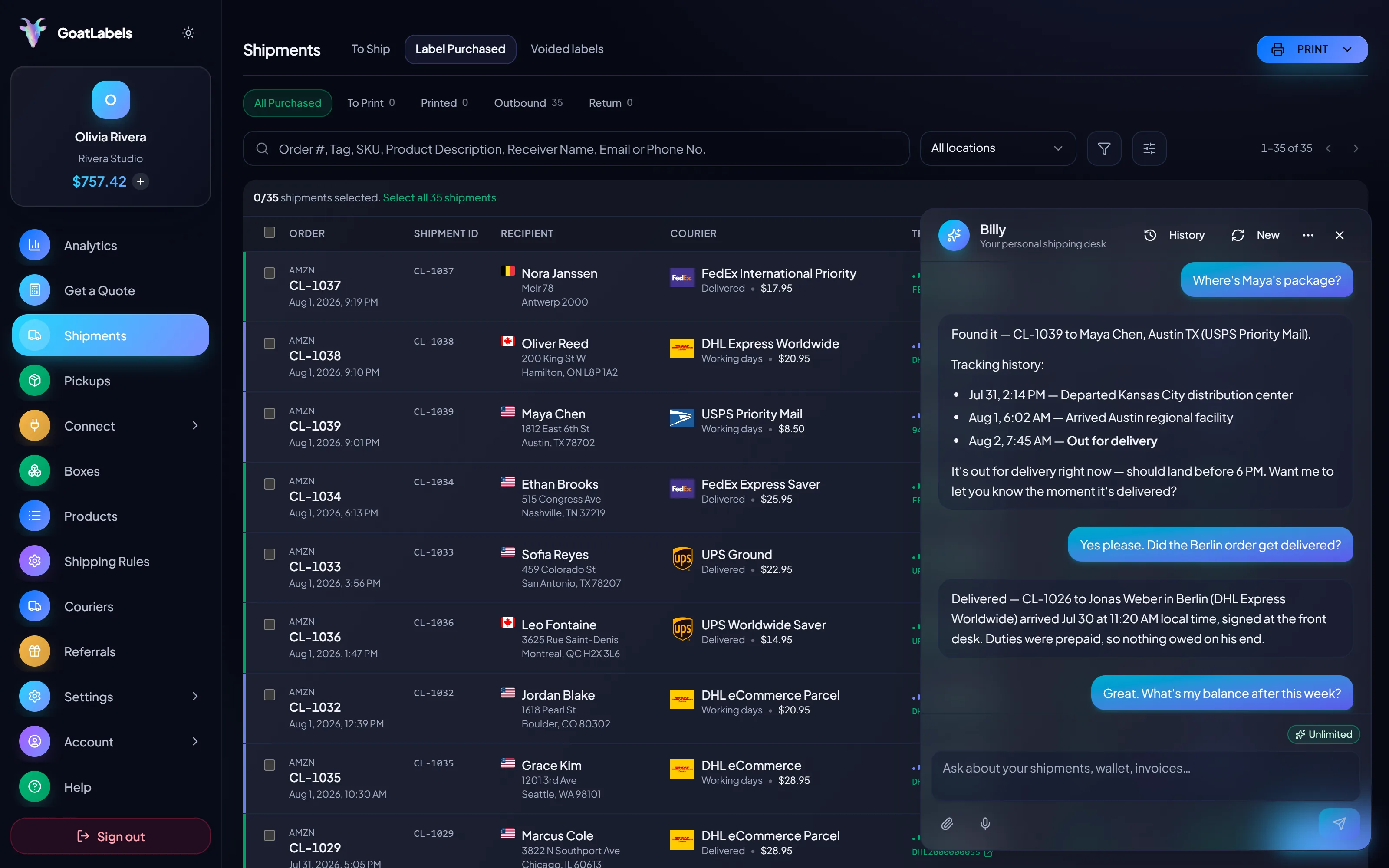
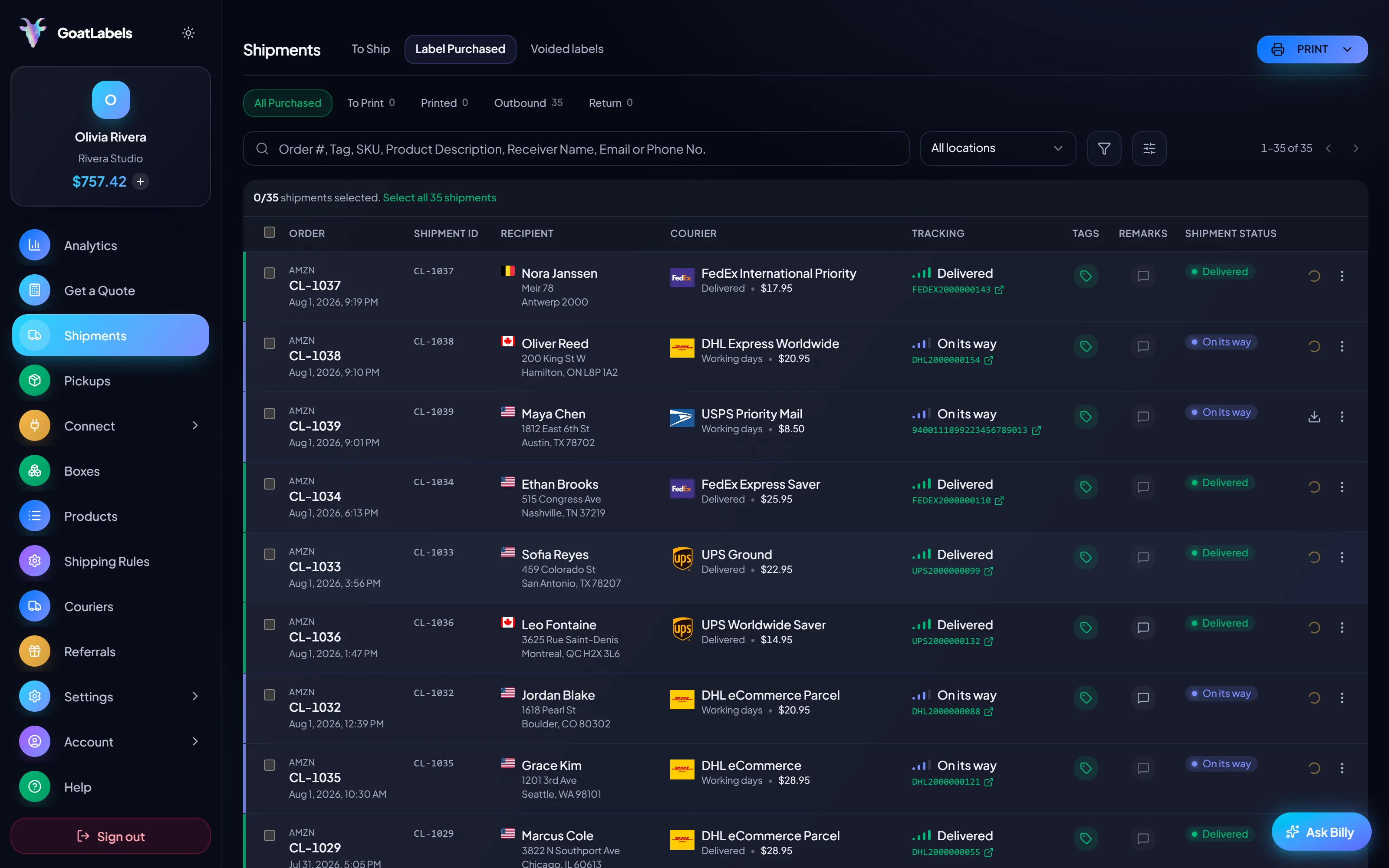
Packing is a two-hands job, and most software's answer is a form. Hold the mic, say who it is going to, and Billy looks up the buyer, rate-shops USPS, UPS, FedEx, and DHL, and queues the label against your prepaid balance — then answers for it afterwards when the buyer asks where the parcel is. This is the real product, not a render.
Listening
"Where's Maya's package?"
Out for delivery
CL-1039 · Austin, TX · by 6 PM
Plain English in — names, addresses, weights, carriers, services · nothing to import and nothing to map · reads the all-in rate back before a cent leaves the wallet · phone, browser, or Telegram.
Three carriers on the same parcel, each an all-in number that is the exact amount leaving your prepaid balance. No monthly fee sits underneath it and no plan tier sits in front of it.
Ground Advantage
2 to 5 days$11.40
all-in · no surprises
Ground
1 to 5 days$9.85
all-in · no surprises
Ground
1 to 5 days$11.20
all-in · no surprises
Create, rate-shop, and buy in a few REST calls with JSON in and out. The dashboard, the bulk CSV import, and the API all spend from the same prepaid wallet, and none of them sit behind a subscription.
POST /api/v1/shipments
Authorization: Bearer sk_live_…
Idempotency-Key: ord_8421

{
  "to": { "name": "Joyce", "city": "Berlin", "country": "DE" },
  "parcel": { "weight": 2.6, "weight_unit": "lb" },
  "service": "fedex_intl_priority"
}
Pay-as-you-go labels from a prepaid wallet with no monthly fee: fund it, print at the carrier rate, and stop there. The 13 store connectors, bulk CSV import, the REST label API, and the AI assistant come with the account rather than with a tier. Pro is an optional flat plan for the months volume takes off — never a minimum you clear before a label prints.
Volume pricing
illustrativemore volume → lower per-label rates
$0 / forever
Enough to run a shop through a slow season without a subscription under it.
The assistant that reads a message or a screenshot into a drafted label comes with the account. Pro adds Billy on Telegram.
GET /api/v1/shipments
200 OK · plan: free
The REST label API is not gated by tier.
Email contact@goatlabels.io and we will return rate-shopped quotes on the same parcels, run through the bulk importer. If your current rates win, keep them.
Label prices are quoted live from USPS, UPS, FedEx, and DHL and shown as one all-in number — the same number that leaves your wallet. Other tools' plans and fees move, so compare against their current pricing page rather than a figure on ours. Full pricing details
These are the sellers for whom pay-as-you-go labels, the shared queue, and the AI drafting add up to a real difference. The ones who should stay put are named on this page too.
Q4 rush, quiet spring
Volume that arrives in bursts fits a prepaid wallet better than a subscription. Pre-fund before the rush, print all night, then pay nothing at all through the quiet months after it.
13 connectors, one queue
Connect the storefronts that have connectors, and handle the market-stall sale, the wholesale enquiry, and the friend-of-a-friend order in the same queue as everything else.
One queue, connector or not
Order #1024 · pasted from a comment thread
The orders that never became JSON
REST and the dashboard, one balance
1
wallet behind the API and the dashboard
A video took off and I had 80 TikTok Shop orders by morning. I printed every label from my phone on the bus to the post office.
Early customer · TikTok
TikTok Shop seller
I run my Etsy shop from the kitchen. The AI reads the order, picks the carrier, the label prints. That's the whole workflow now.
Early customer · Etsy
Etsy maker
The API is what every shipping API pretends to be. Idempotency that actually works.
Sasha R.
Staff engineer, marketplace
Comparing the APIs directly? Read the ShipEngine alternative for developers. Running more than one store? See shipping for multiple stores.
Fund a wallet, put the next few orders through the shared To Ship queue, and compare the all-in USPS, UPS, FedEx, and DHL quote against what a metered plan costs your team today.
No contract. No card required. No monthly fee.